
Interchange formats flatten your work into a mesh. A saved project is the opposite: a snapshot of the whole session — every layer with its name and order, paint, masks and mesh sets, your per-brush settings, reference images with their placement, and your viewport setup. Open it later, on any device you sign in to, and you're back exactly where you stopped.
Saving
- File ▸ Save — saves the project with your account. The first time it asks for a name; after that it saves over the same project.
- File ▸ Save as — saves a new project under a new name and leaves the old one as it was.
A percentage shows while a big project uploads. Each plan keeps a number of saved projects, each up to a size: Free keeps 5 of up to 150 MB, Pro keeps 50 of up to 512 MB. A project at the very top of the triangle budget can pass its plan's size — step down one subdivision level and save again. Saving over an open project never counts against the number.
Saved projects are stored with your account in Firebase Cloud Storage (a Google service), readable only by your signed-in account. The privacy policy has the details. Saving a file to your own disk is not available in this build.
Opening
File ▸ Open opens your saved projects and the autosaves; File ▸ New opens the primitives. The start screen shows the same three sections:
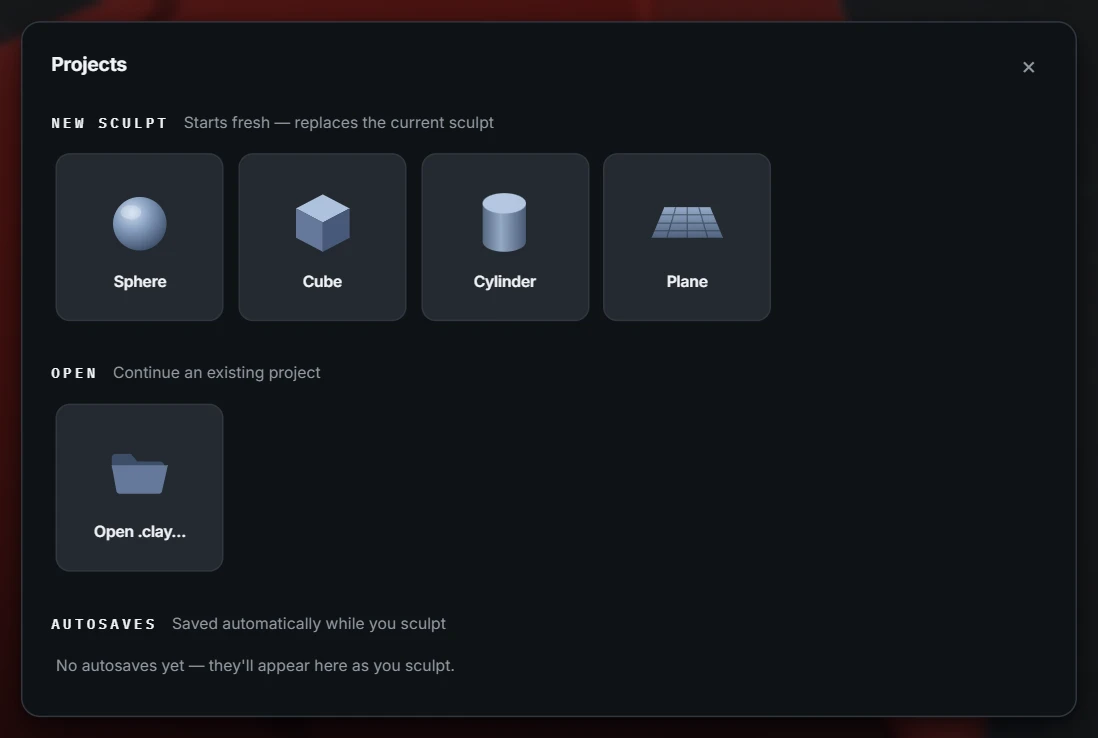
- New sculpt — start over from a Sphere, Cube, Cylinder or Plane, or the Head or Ear base mesh (this replaces the current sculpt — save first).
- Saved projects — each tile shows a thumbnail, the name, the date it was saved and its size. Click one to open it; hover and press the × to delete it (one confirmation, no undo). A sculpt opened this way saves back to the same project.
- Autosaves — the dated snapshots below.
Autosave
While you work, Re:Form keeps rotating snapshots in the browser's own storage — up to ten dated slots, each with a thumbnail, newest replacing oldest. Closed the tab mid-session? Browser crashed? Open the app again and the autosaves section has your recent state waiting.
If the studio closed unexpectedly — the tab crashed, the browser or the graphics driver gave out, the power went — the next launch says so: Open latest autosave picks up from the newest snapshot, Send report opens Help ▸ Report a problem with a few facts about the lost session added to what it shows you (graphics adapter, browser, triangle count, subdivision level, tool, the last errors — never your sculpt), and nothing is sent until you press Send there. Dismiss just carries on. Closing the tab, reloading or signing out normally never brings the notice up.
A sculpt that came from a saved project, or has been saved as one, is also autosaved to that project: every few minutes, while you pause, the same snapshot goes to your account, and a small "Autosaved to …" note confirms it. A sculpt that has never been saved has no project to go to — give it one with File ▸ Save.
Two habits keep autosave in its proper place:
- Autosave is the safety net, not the archive. It lives in this browser on this machine, and browsers can clear their own storage. Anything you care about gets a real File ▸ Save.
- Save before destructive milestones — before a big remesh, before merging layers, before "just trying something". Undo is deep, but a named file is certainty.
A saved project keeps working data that exports can't carry — every layer stays separate (with its own levels, mask, paint and position), masks stay live, brushes stay tuned. Treat it like a project file in any serious tool: the saved project to work, OBJ/STL/GLB/FBX to ship.