
Re:Form ships with a small set of keys, and every one of them can be changed. Any menu command, tool or brush can be given a key of its own in Edit ▸ Preferences ▸ Keyboard.
The keys Re:Form ships with
| Key | What it does |
|---|---|
| Ctrl+Z | Undo |
| Ctrl+Shift+Z or Ctrl+Y | Redo |
| Ctrl+, | Preferences |
| Tab | Switch between Sculpt and Object mode |
| G, R, S | Move, Rotate, Scale |
| B | Back to the brush |
| F | Fit the model in view |
| 1, 3, 7 | Front, Right and Top view |
| Shift+1, 3, 7 | Back, Left and Bottom view |
| 5 | Switch between Perspective and Ortho |
| T | Show or hide the performance readout |
On a Mac, Cmd stands in for Ctrl.
While you sculpt, holding Shift smooths and holding Ctrl inverts the brush. Those two belong to the stroke itself and are not on the list of shortcuts.
Give a shortcut a new key
Open Edit ▸ Preferences and choose Keyboard. Every action is listed by category with its key beside it: commands from the menus, the tools, every brush, Symmetry, layers, brush Size and Strength.
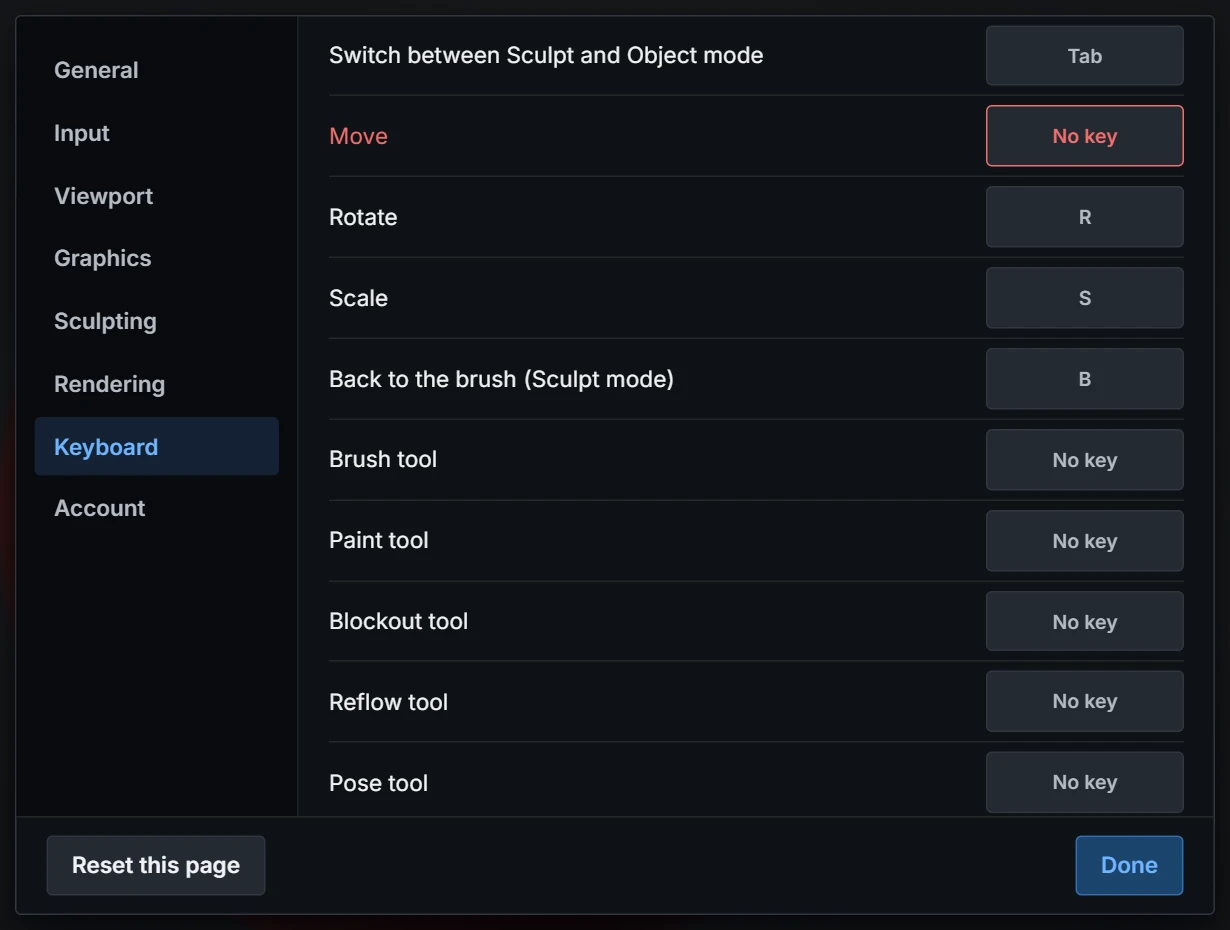
- Click the key beside the action. It reads Press a key….
- Press the key you want, with Ctrl, Shift or Alt held if you like. That is the action's key from now on.
- Esc leaves the key as it was.
- Backspace takes the key away, leaving the action with none.
- The change works at once, and the menus and tooltips show the new key.
If the key already belongs to another shortcut, the new one takes it. The shortcut that had it is left with No key and shows in red, so you can see what lost its key and give it another.
A few combinations cannot be chosen because your browser keeps them for itself: closing a tab, opening a new one, reloading the page and the like. The page tells you when you try one.
The search box at the top filters the list by name or by key, so typing ctrl+d shows what is on that key.
Ready-made layouts
The dropdown beside the search box holds three layouts:
- Re:Form (default): the keys in the table above.
- Sculpting keys: the layout common in dedicated sculpting programs. Move, Rotate and Scale are on W, E and R, Symmetry X is on X, Subdivide on Ctrl+D, and brush size on [ and ].
- 3D suite keys: the layout common in general 3D programs. Wireframe is on Shift+Z, Fit on the number pad's ., Save on Ctrl+S, and brush size on [ and ].
A layout only moves the keys it names; everything else stays on its Re:Form key. Once you change a key yourself the dropdown reads Your own keys.
Keep your keys
Your keys are remembered in this browser. Export saves them as a small file, and Import reads one back, so you can carry your layout to another computer. Reset this page puts every key back on its Re:Form default.